


Sync +
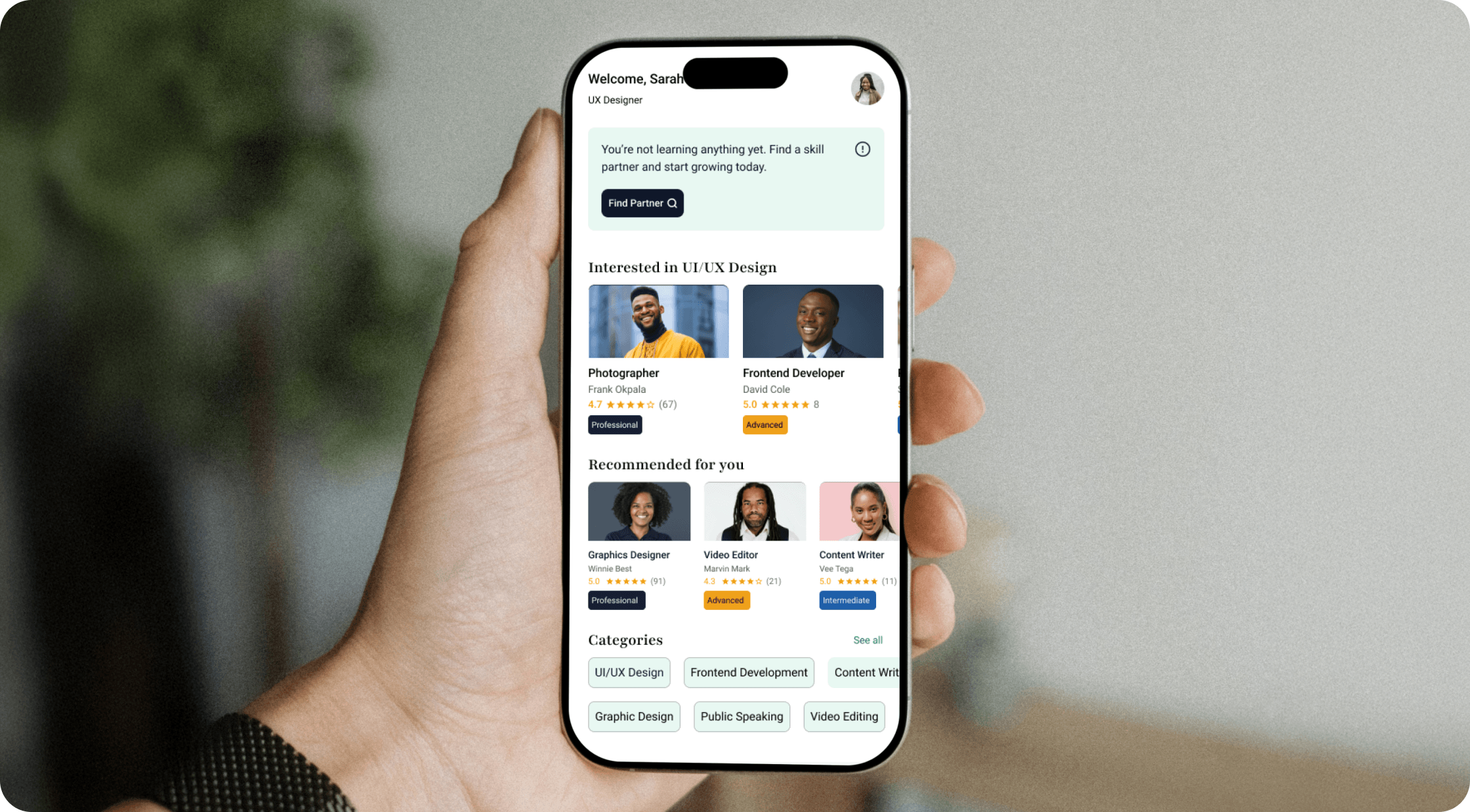
Product DesignUI DesignSync+ is a mobile skill swap marketplace that enables people to exchange knowledge directly with one another through structured learning partnerships. Instead of paying for courses or tutors, users teach a skill they already possess in exchange for learning a skill they want to acquire, creating a value-for-value ecosystem where both participants benefit.
- Role
Product Designer
- Scope
- UX ResearchUX DesignUI DesignProduct StrategyResponsive DesignPrototypingDesign SystemInteraction Design
- Problem
Learning new skills is often expensive, while many people already have valuable knowledge to offer. Existing platforms focus on paid learning rather than structured skill exchange, making it difficult for people to learn from one another.
- Solution
Sync+ solves this by creating a structured skill-for-skill marketplace where users teach what they know in exchange for learning something new. Through trusted profiles, guided learning plans, recurring sessions, and progress tracking.
Scope & Delivery
9
end-to-end product flows designed
Reusable UI kit
components built alongside the flows
I designed the end-to-end mobile experience - onboarding, profile setup, discovery, partner profiles, skill-swap proposals, learning plans, scheduling, sync summaries, and the active learning dashboard - alongside a set of reusable UI components. The work focused on structuring the journey from first sign-up through to an active skill swap, so each stage sets clear expectations for both partners.
The Goal
The goal of Sync+ was to design a mobile platform that enables people to confidently exchange skills without relying on financial transactions.
Beyond simply connecting users, the experience needed to foster trust between strangers, ensure both parties felt the exchange was fair, and provide enough structure to support meaningful learning over time.
To achieve this, the product was designed to guide users through every stage of the journey, from discovering a learning partner and proposing a skill swap to creating a shared learning plan.

Understanding the User
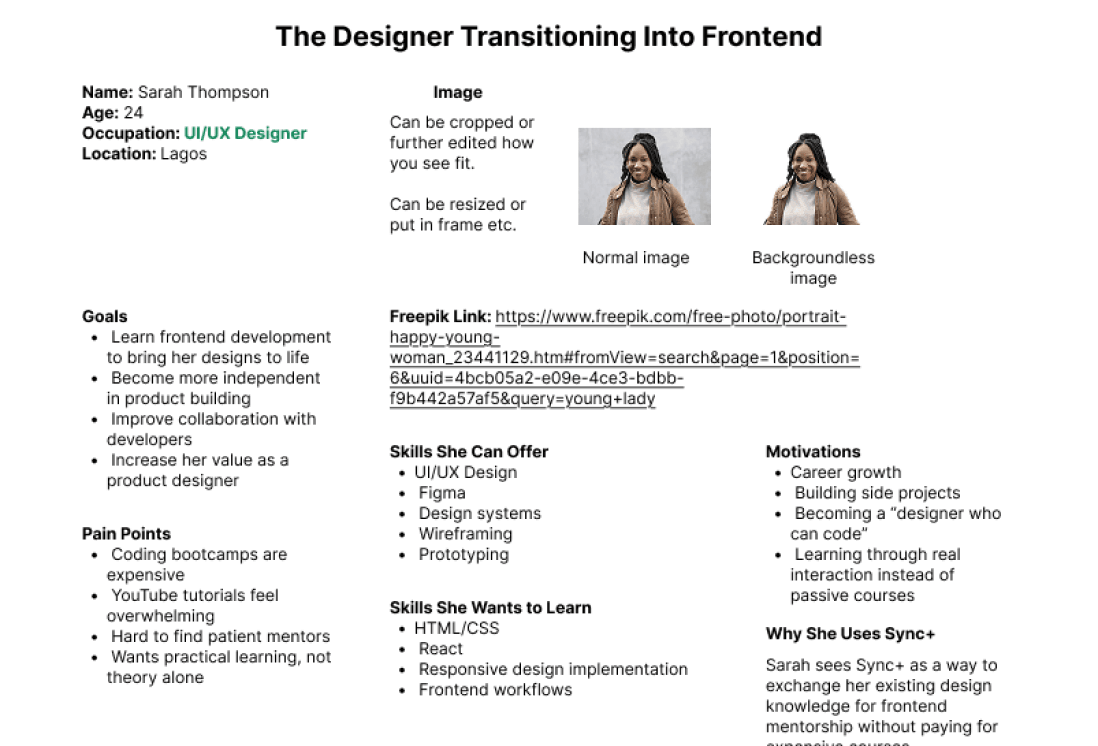
The primary audience for Sync+ consists of individuals who are eager to learn new skills while already possessing expertise they can share with others. This includes professionals such as a UI/UX designer looking to learn frontend development or a frontend developer hoping to improve their design skills.
Despite their different backgrounds, these users share similar motivations. They want to grow professionally, access learning opportunities without financial barriers, connect with like-minded people, and have their existing skills recognized as valuable.
Design Strategy
Rather than focusing solely on matching users, I designed the experience around three principles.
- 01
Build Trust First
Trust had to be established before learning could begin.
- 02
Create Structure
Learning works best with clear expectations.
- 03
Reduce Complexity
Although the product contains many moving parts, every flow was designed to feel calm and intuitive.
Product User Flow
- 1
Onboarding
Users learn how the platform works before creating an account.
- 2
Profile Setup
Users introduce themselves, select a teaching skill, showcase their experience, and define how they prefer to teach.
- 3
Discover
Users search for people based on the skill they want to learn and browse detailed profiles.
- 4
Proposal
A structured proposal introduces both parties, explains the exchange, and sets the tone for collaboration.
- 5
Learning Plan
Once accepted, users create a shared learning schedule, define session frequency, generate or manually create a learning roadmap, and establish expectations.
- 6
Sync Dashboard
After both users agree, the learning partnership becomes active with progress tracking, upcoming sessions, notes, assignments, and roadmap management.
Onboarding
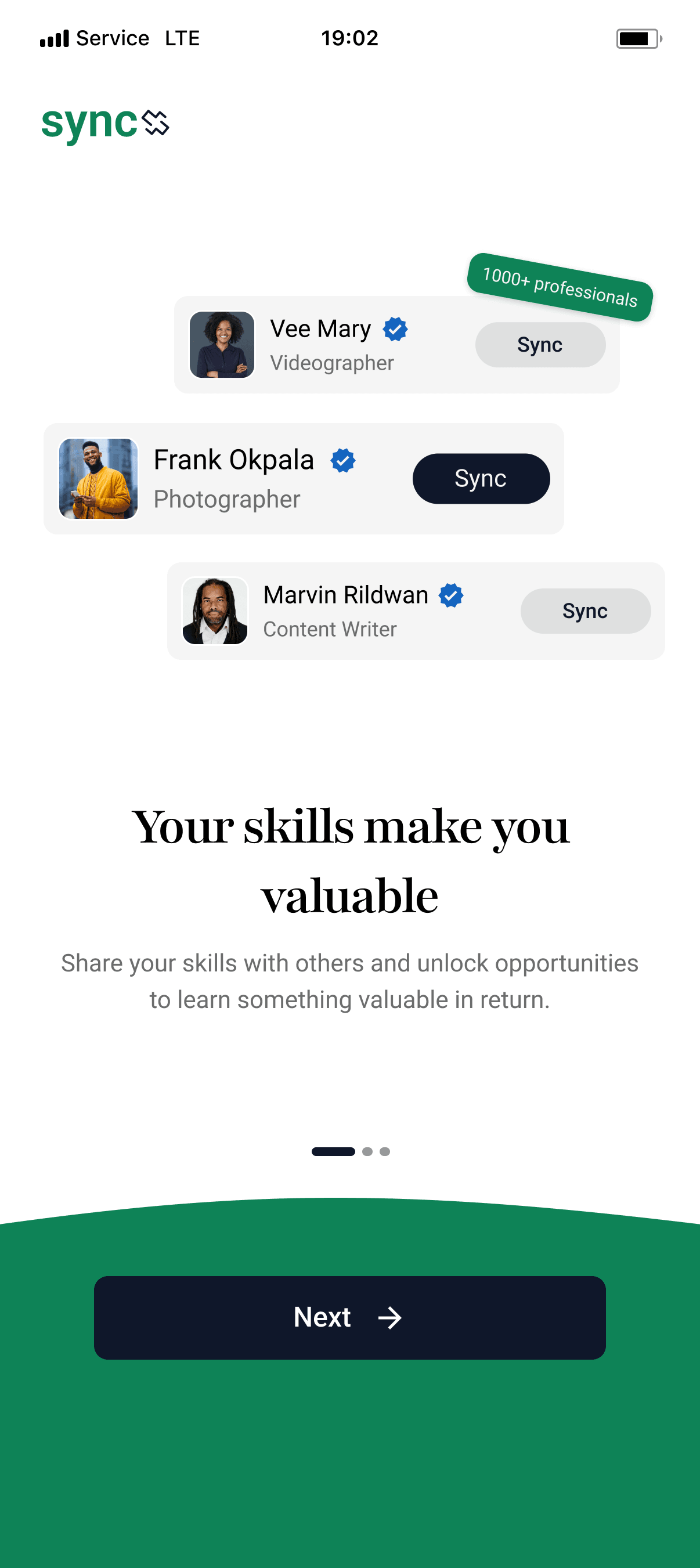
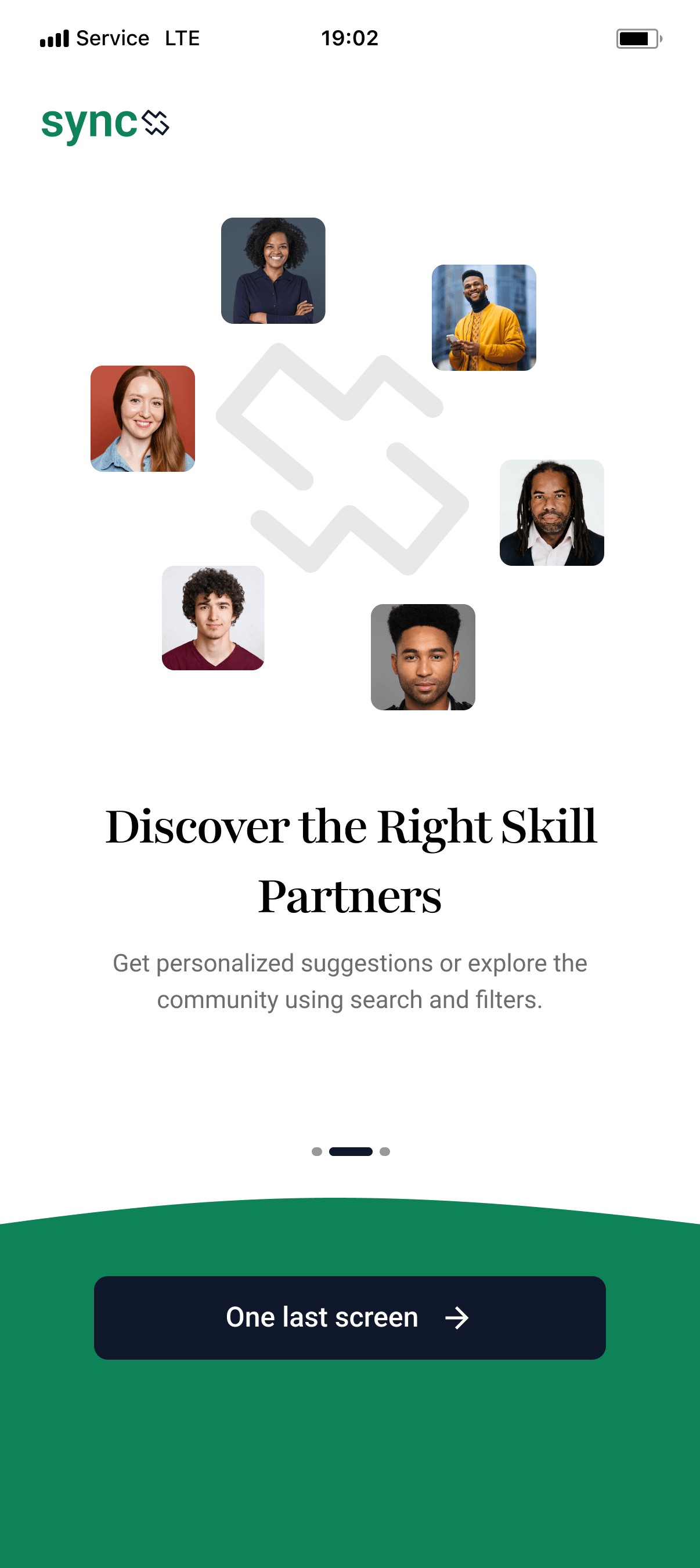
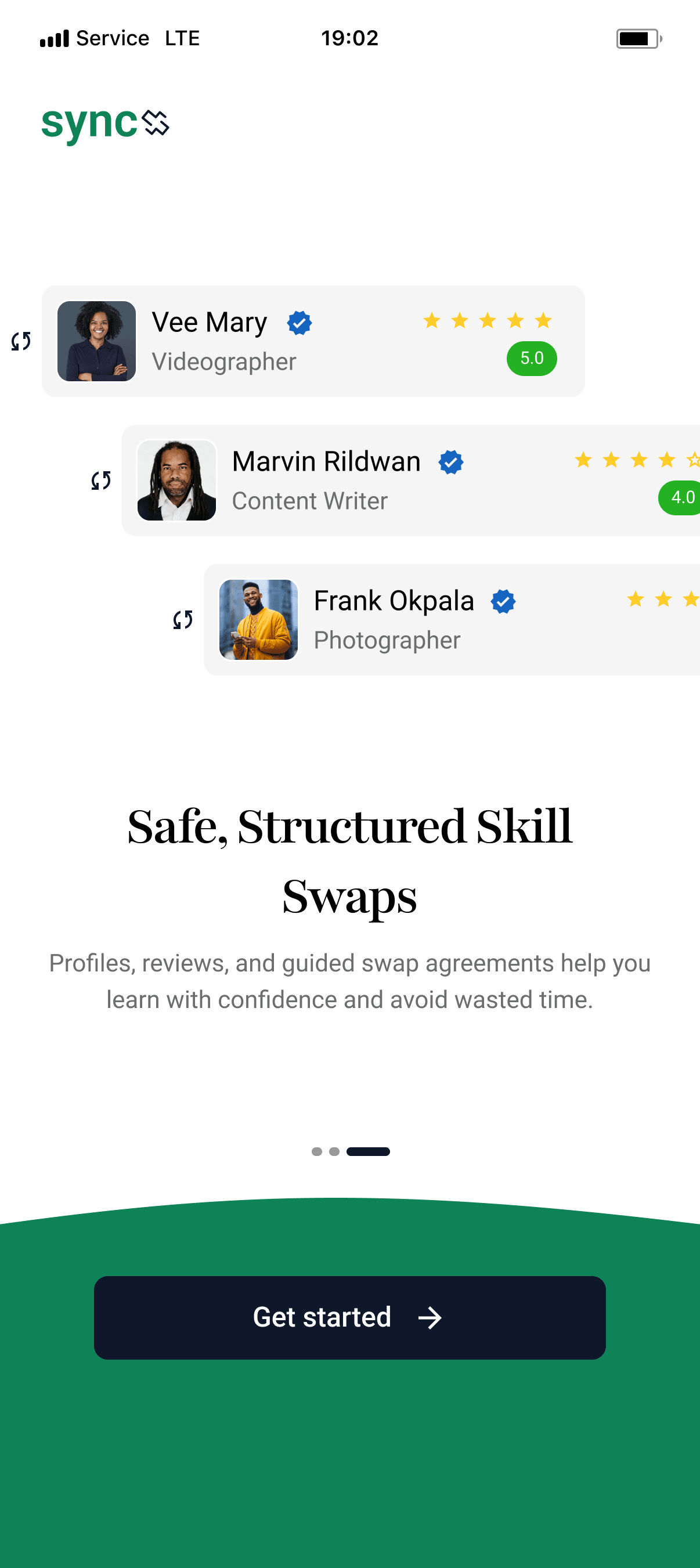
The onboarding experience introduces users to the concept of skill swapping before asking them to create an account. Since the idea of exchanging skills instead of money isn't immediately familiar, the first interaction needed to educate users without overwhelming them.
I simplified the experience into three short screens, each communicating a single idea: learn without financial barriers, exchange value by teaching what you know, and build meaningful learning partnerships. Keeping the onboarding concise helped reduce friction while ensuring users understood the product's purpose before entering the app.
Authentication
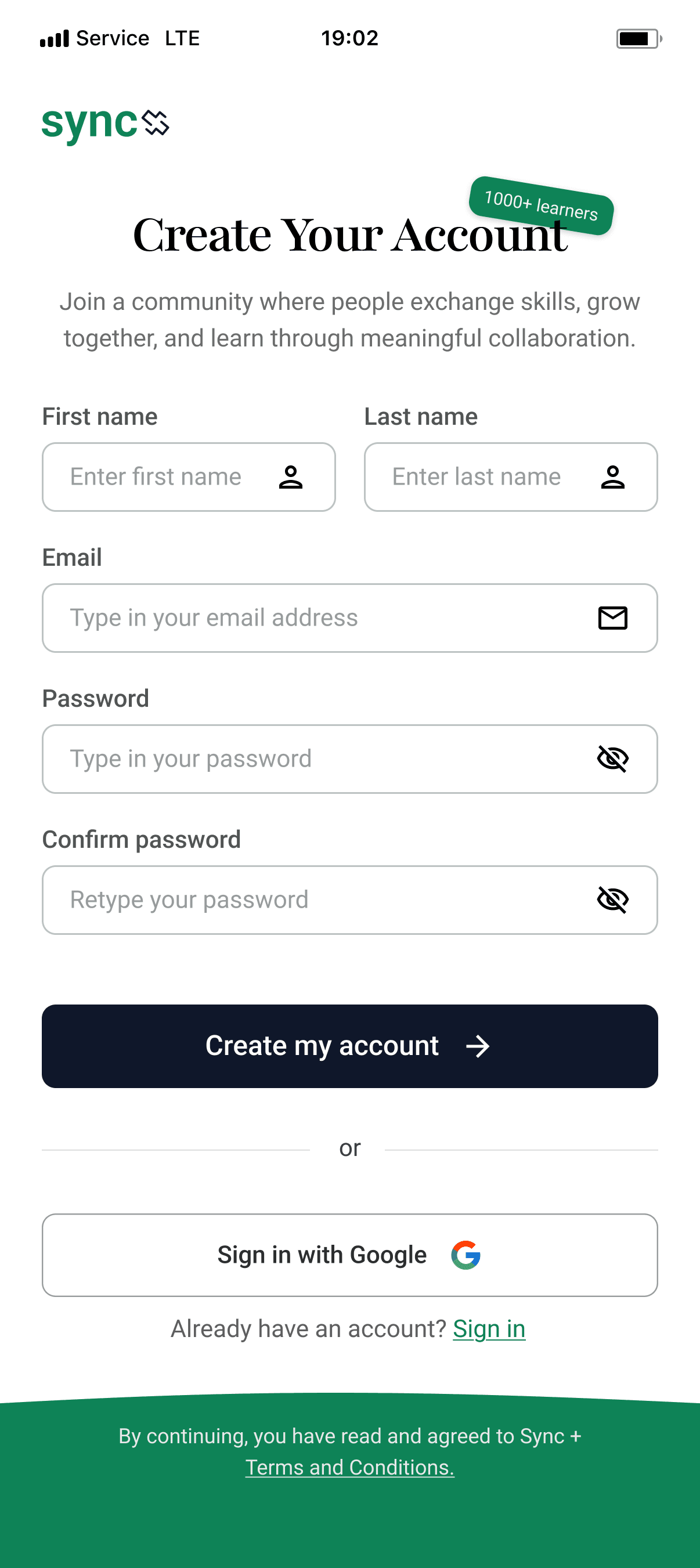
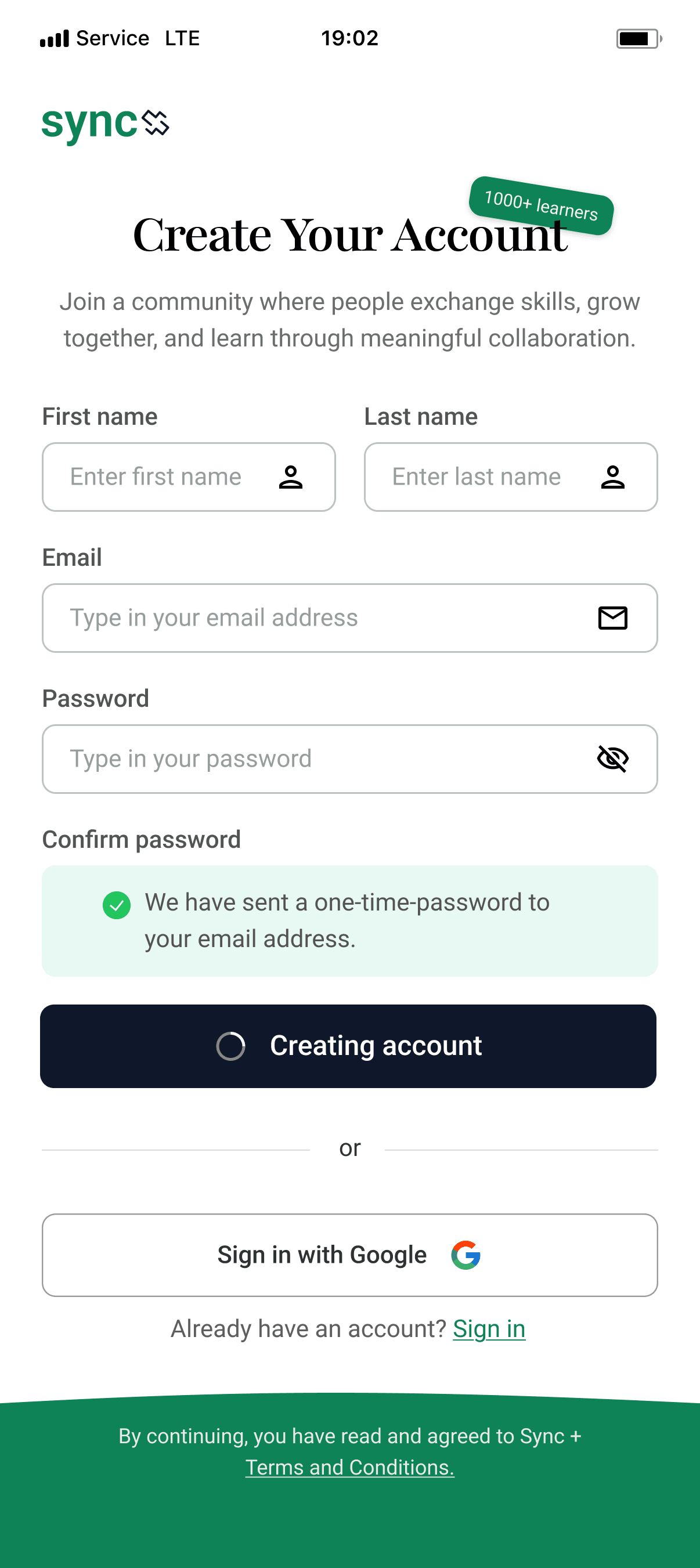
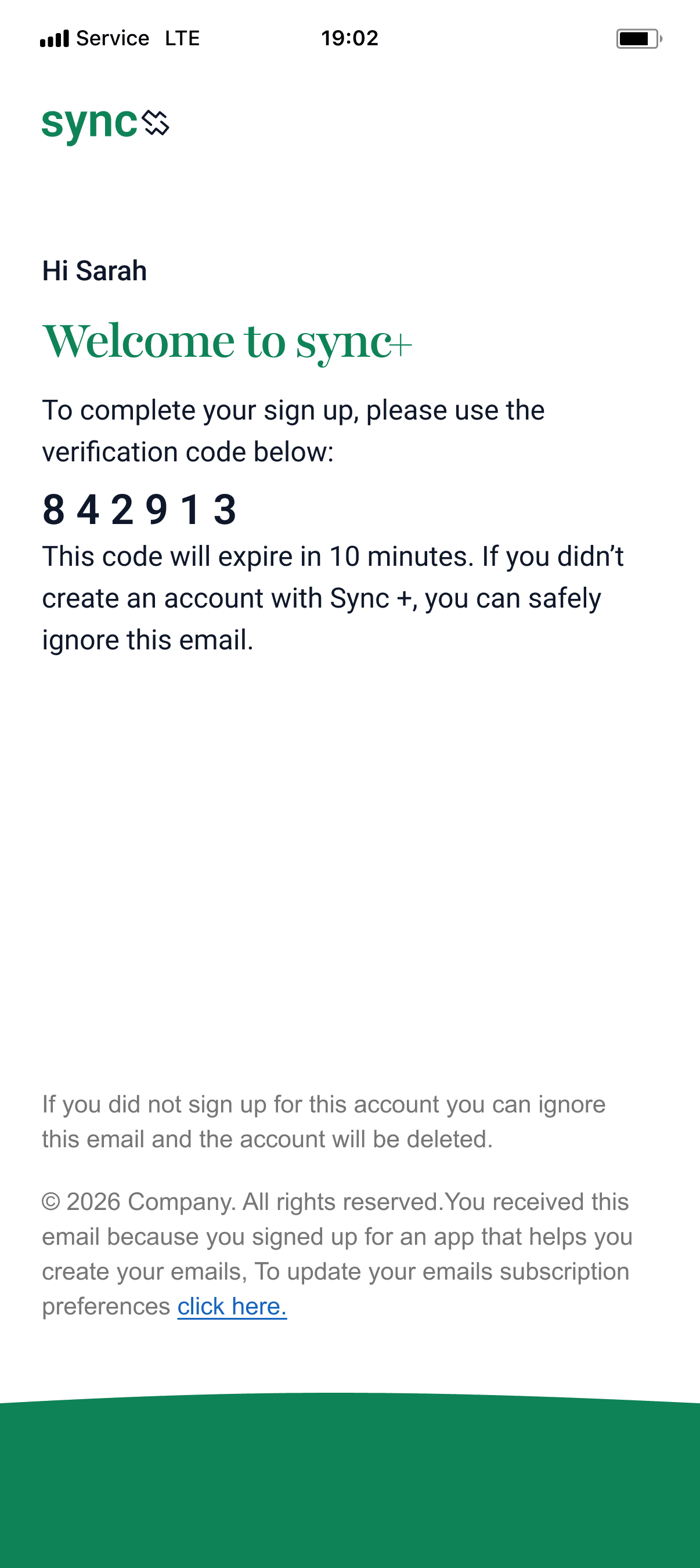
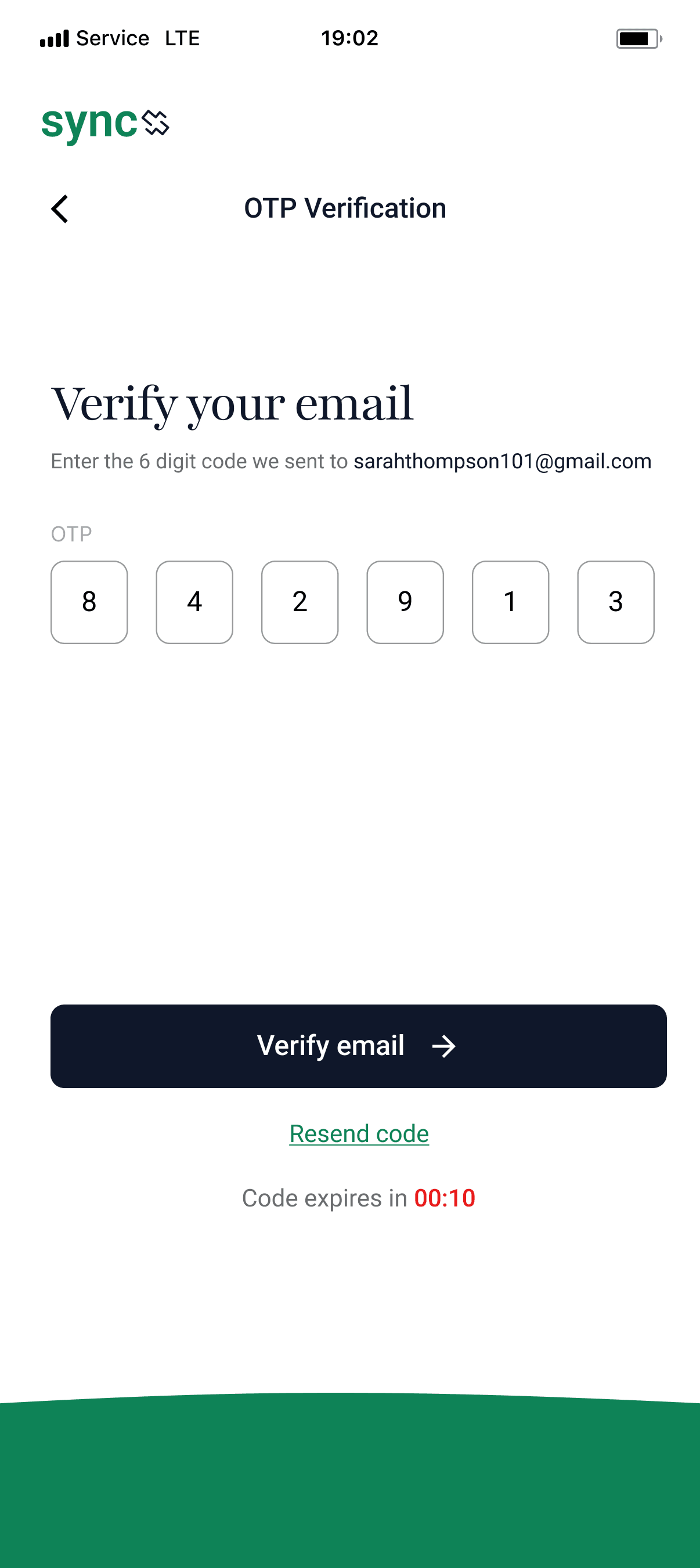
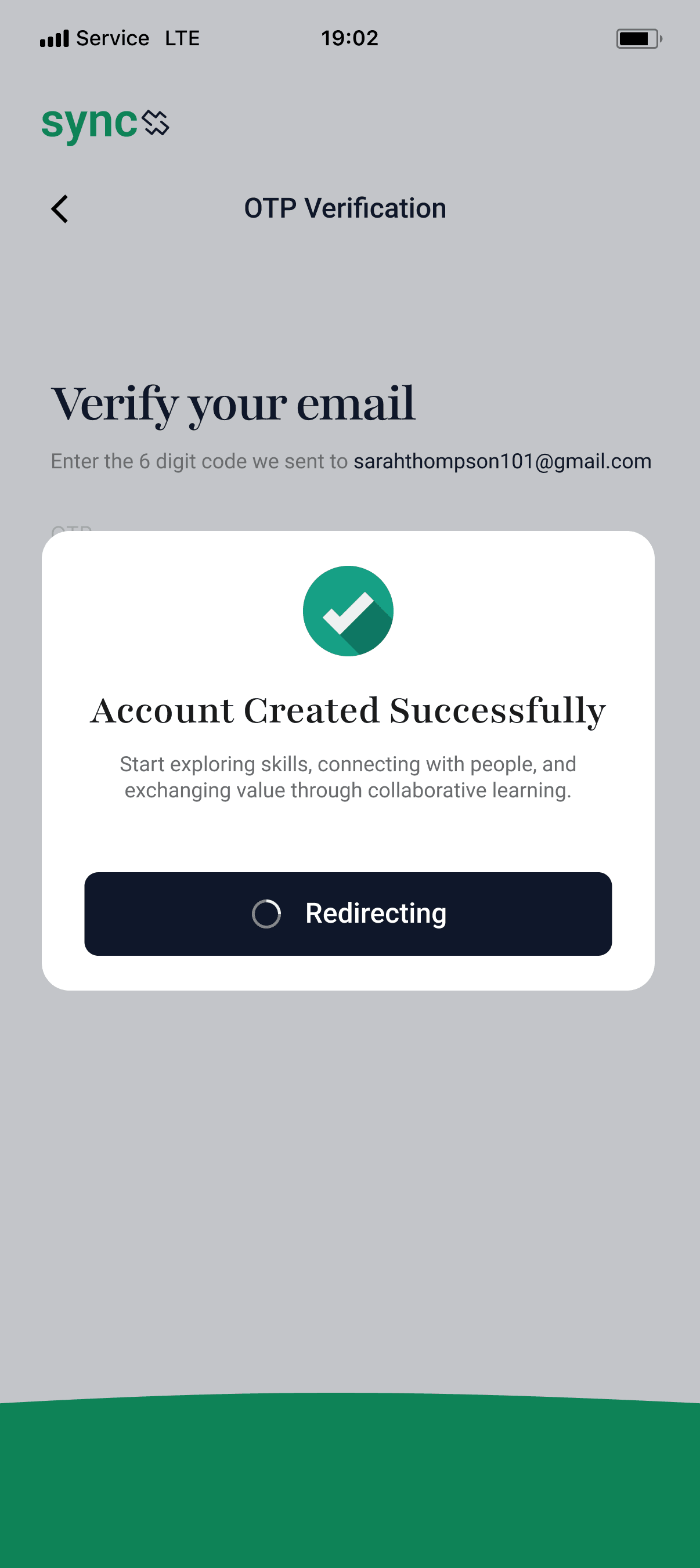
After onboarding, users can create an account using either social sign-in or email. For email registration, I introduced OTP verification to confirm ownership and improve trust from the beginning of the journey.
Instead of treating authentication as a technical step, I used welcoming copy and lightweight feedback to make the experience feel reassuring. Small success states and loading messages reduce uncertainty and let users know the platform is preparing their account.
Profile Setup
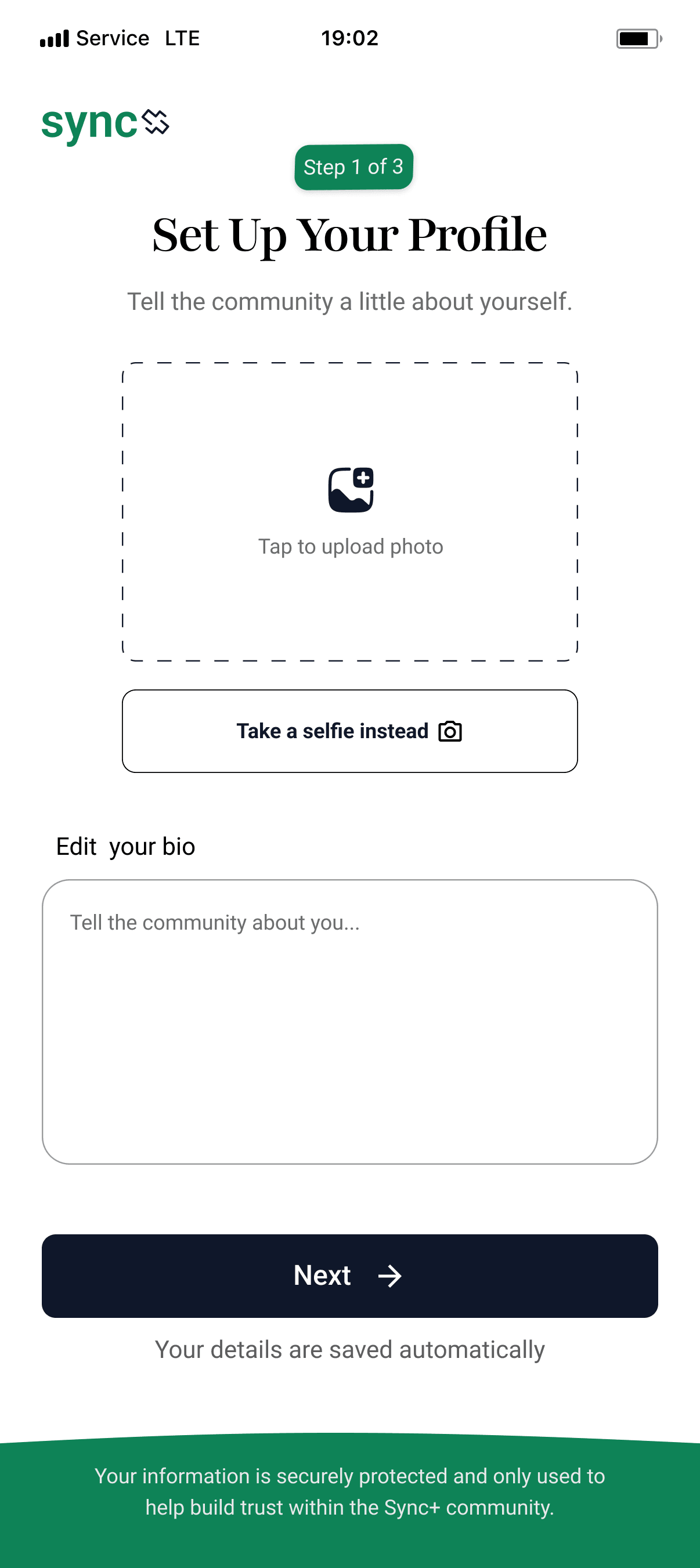
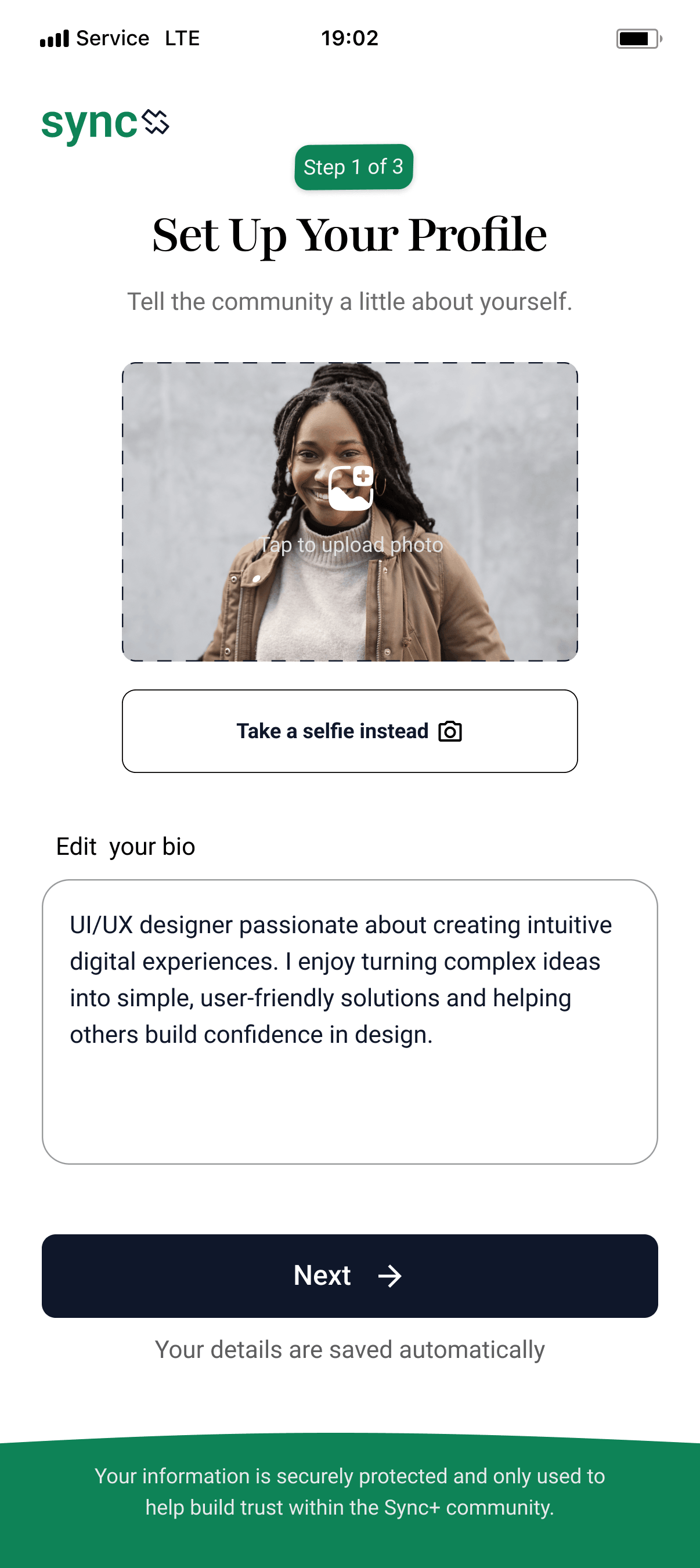
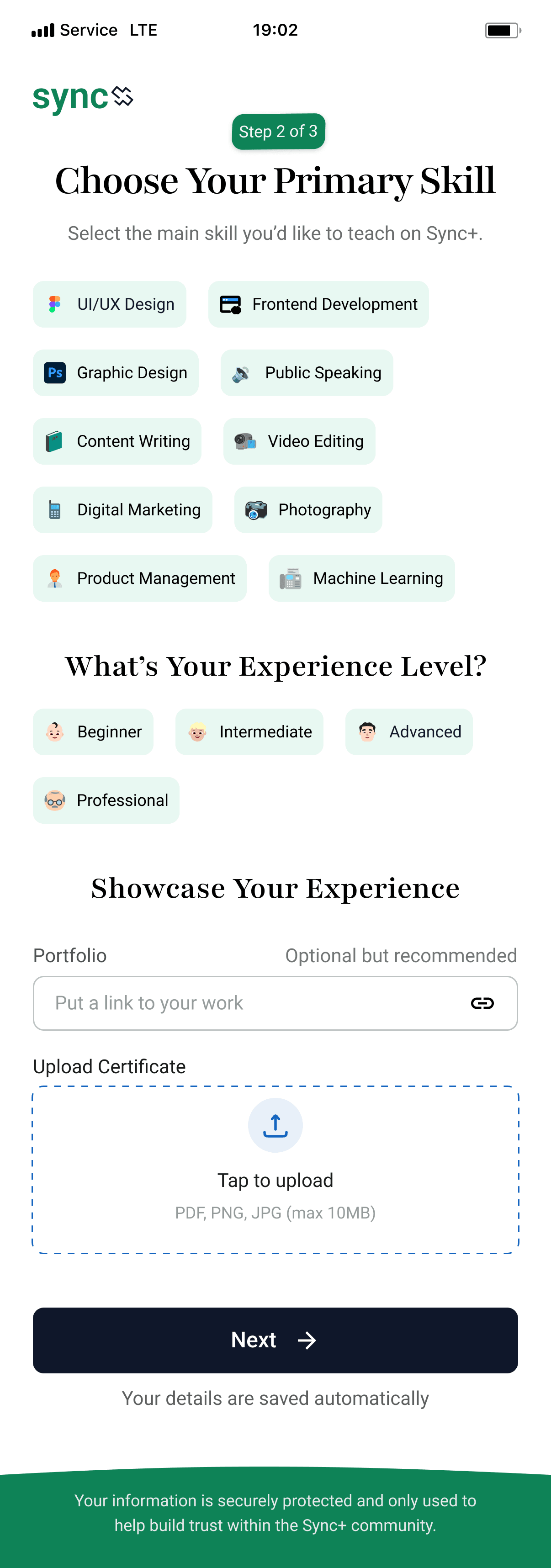
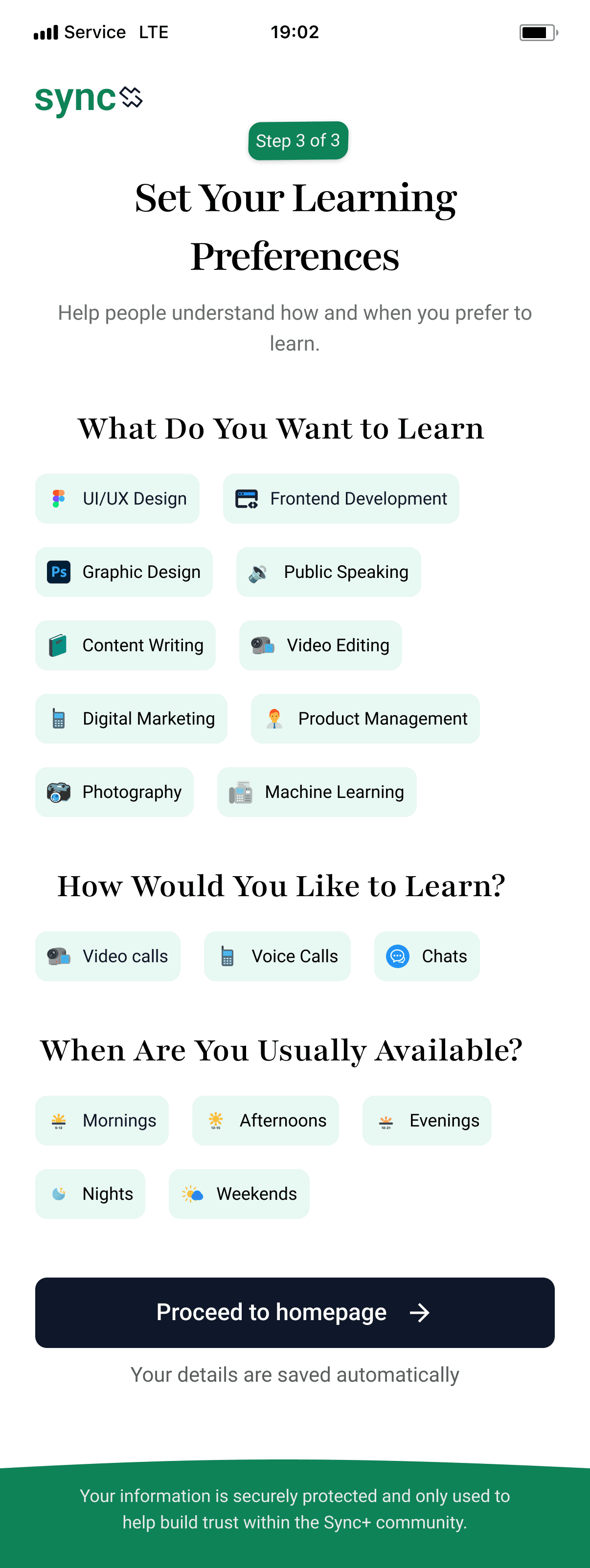
Trust is the foundation of any peer-to-peer platform, so the profile setup experience focuses on helping users present themselves as credible learning partners.
To reduce cognitive load, the process is divided into three steps. Users first introduce themselves with a profile photo and short bio before selecting the single skill they want to teach. They then provide supporting information such as experience level, portfolio, and certifications, followed by their preferred teaching format and availability.
Home Screen
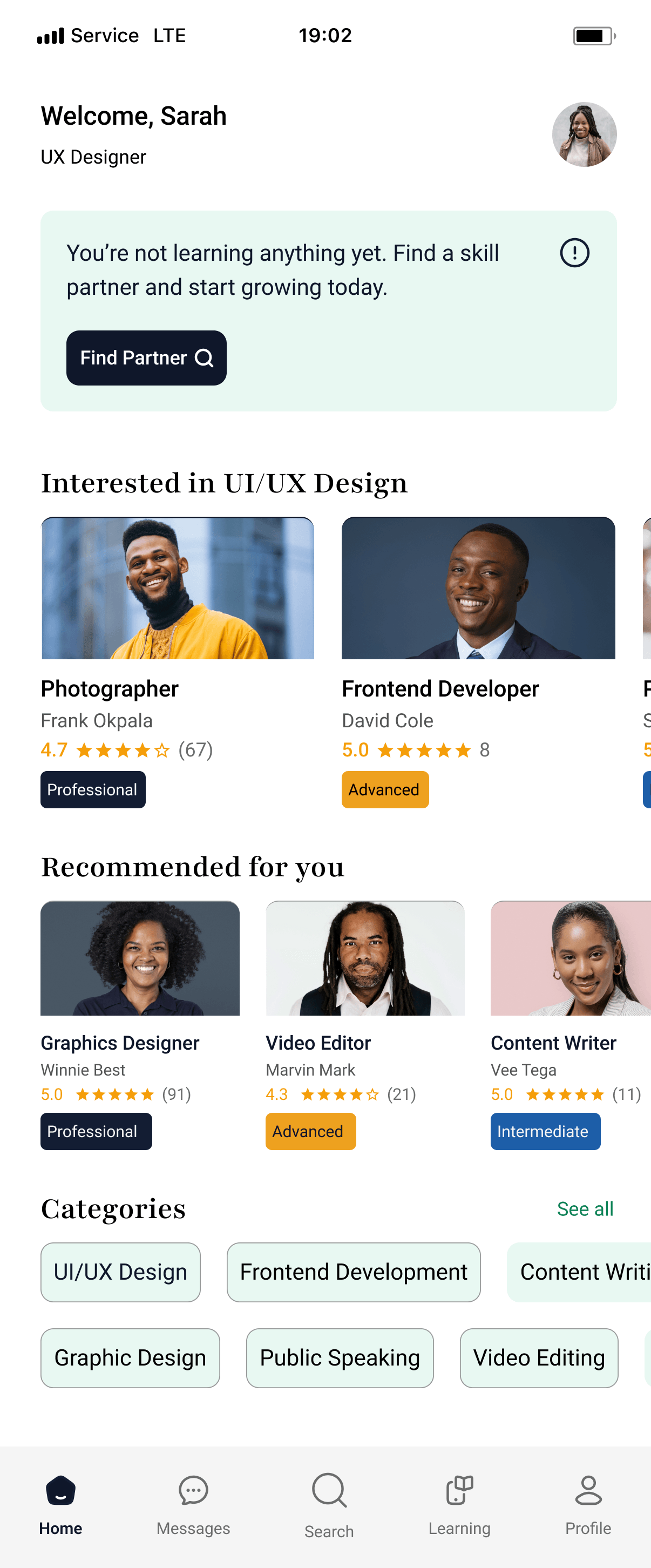
Trust is the foundation of any peer-to-peer platform, so the profile setup experience focuses on helping users present themselves as credible learning partners.
Discover
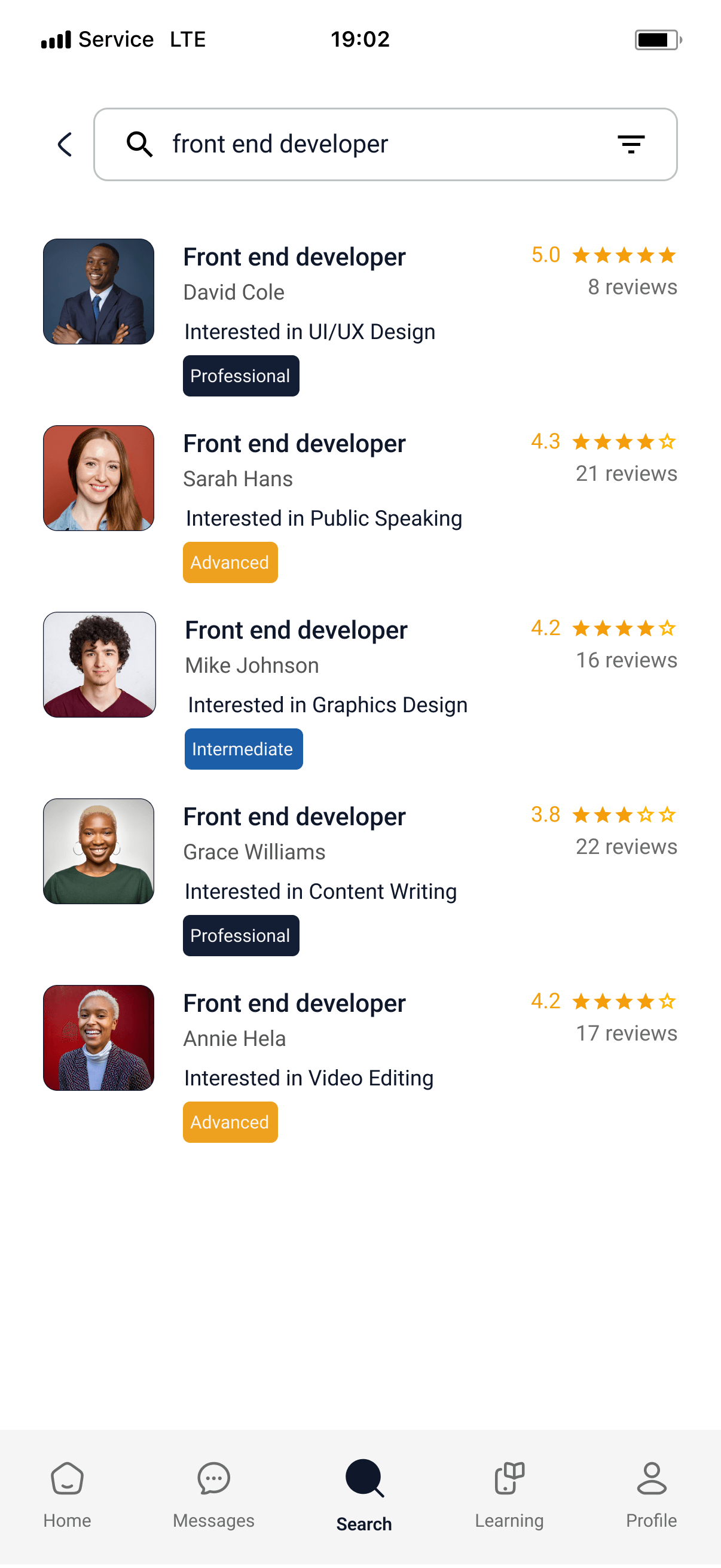
Finding the right learning partner is one of the most important moments in the experience. Instead of relying on automatic matching, I designed a search-first experience that gives users control over who they learn from.
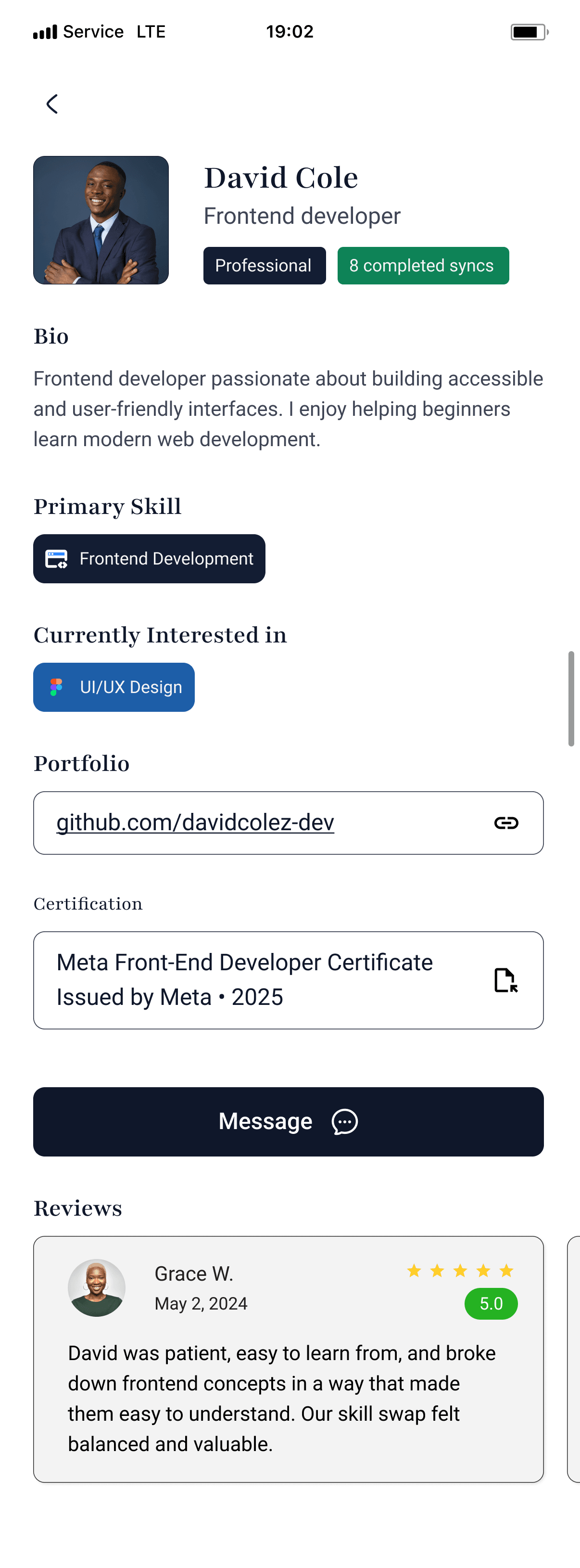
Partner Profile
Profiles were designed to answer the questions users naturally ask before learning with someone: Who is this person? Can they teach me? Can I trust them?
Core Experience
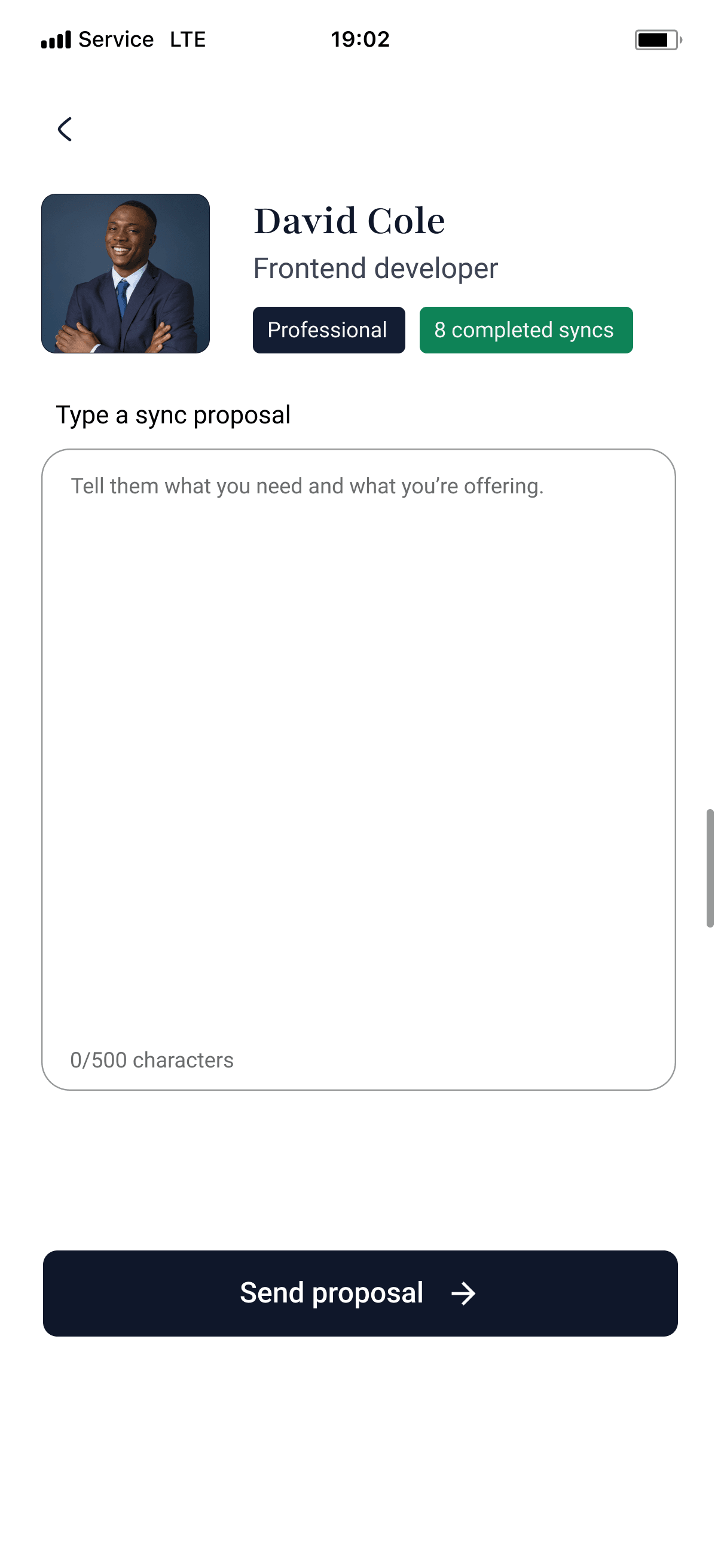
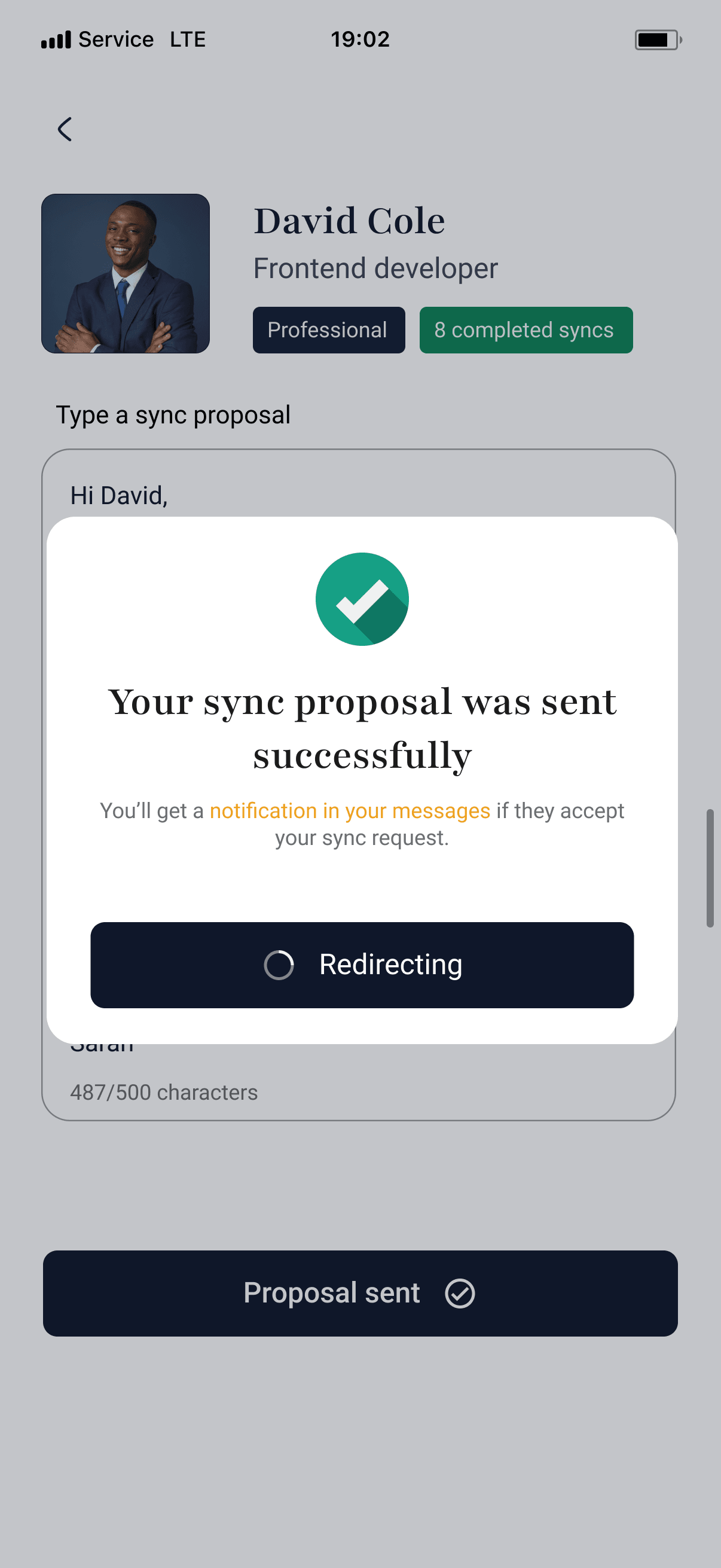
The core of Sync+ begins once two users decide to learn from each other. Instead of opening with a chat, the experience starts with a structured skill swap proposal where users explain what they want to learn, what they can teach in return, and why they're a good fit. This creates alignment early and helps both parties begin the partnership with shared expectations.
Building trust first meant accepting friction. I deliberately kept additional steps around profile information, credibility signals, and the structured proposal before two people can begin a skill swap. This slows the path to a first session, but it felt necessary when asking someone to commit to learning from a stranger over several sessions.
The proposal itself was a choice over open messaging. Messaging is simpler and most marketplaces default to it, but it leaves too much of the agreement undefined. Requiring both people to clarify what they want to learn, what they can offer, and what they expect creates alignment early and gives the learning plan a clear foundation.
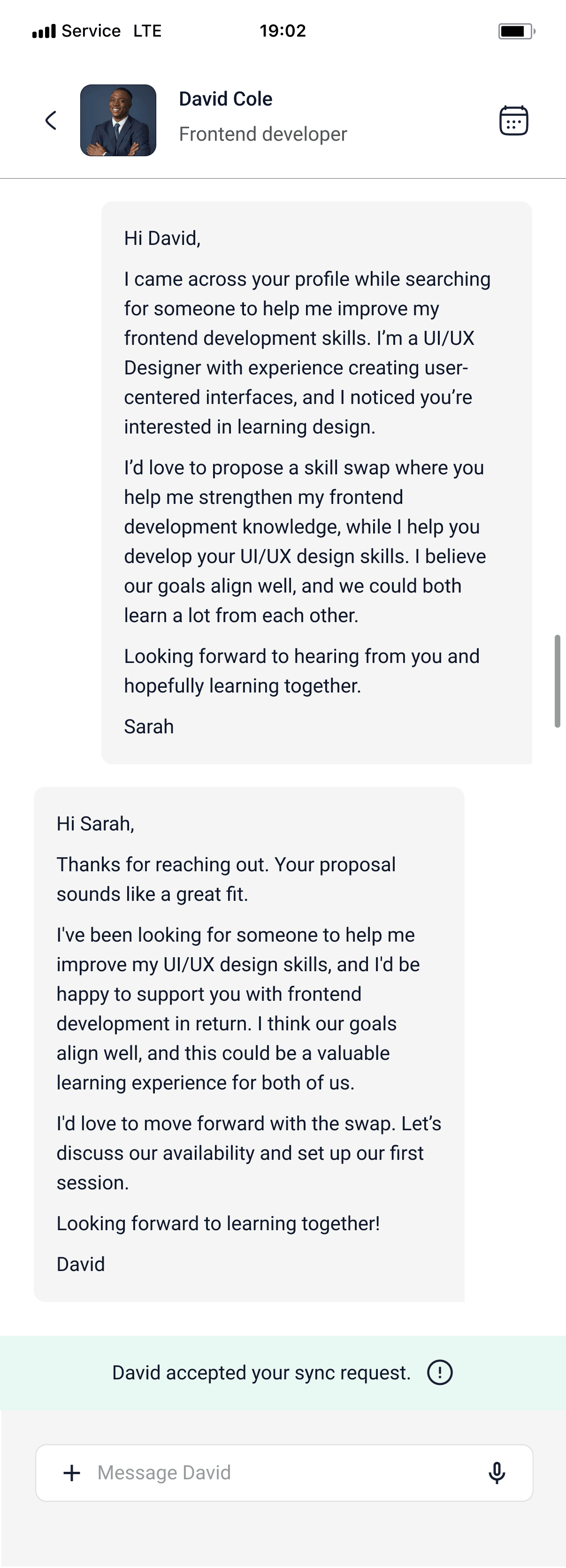
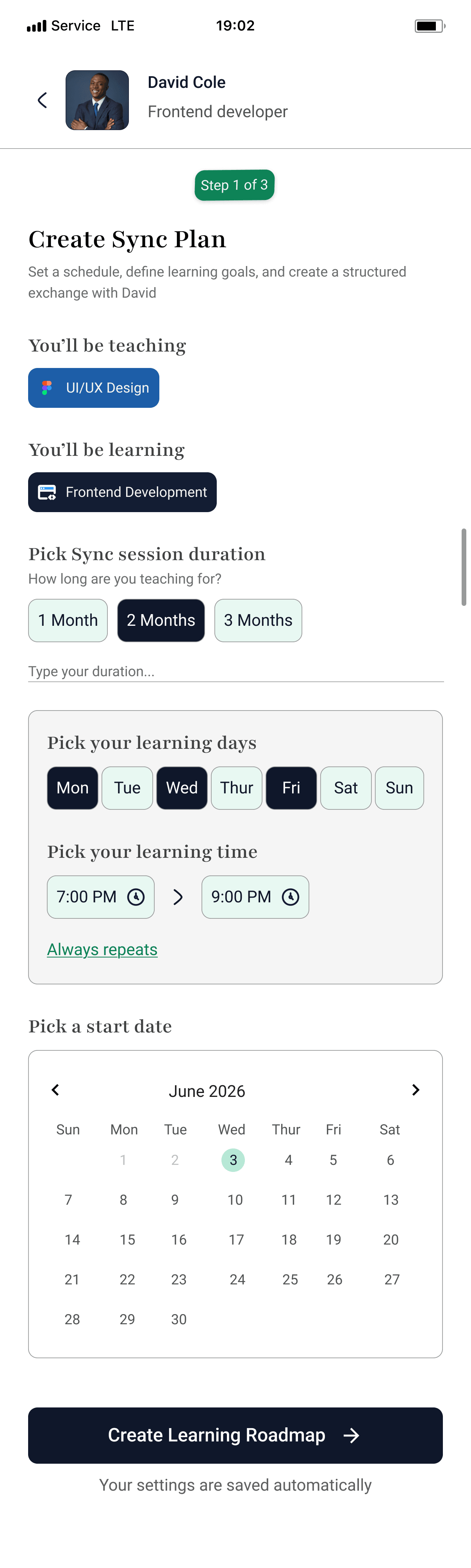
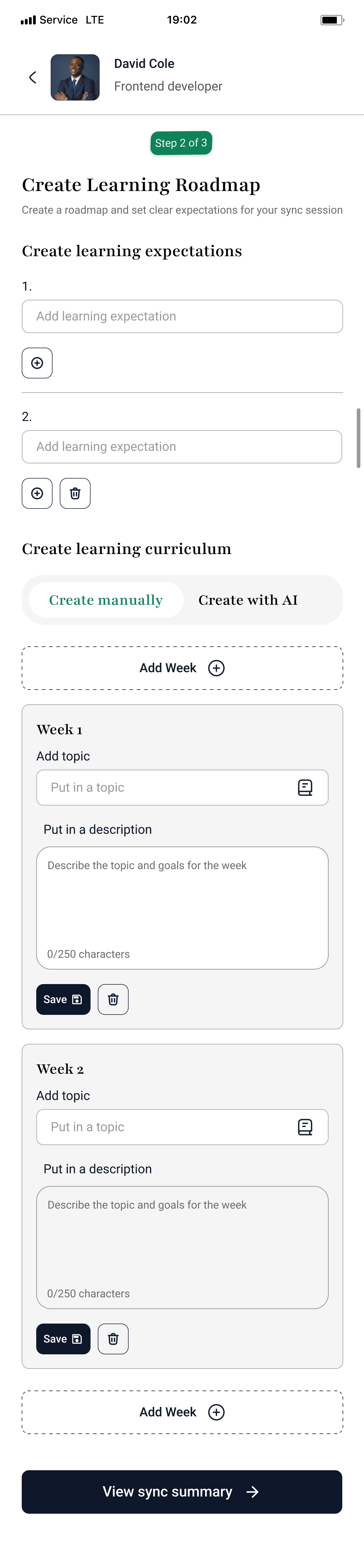
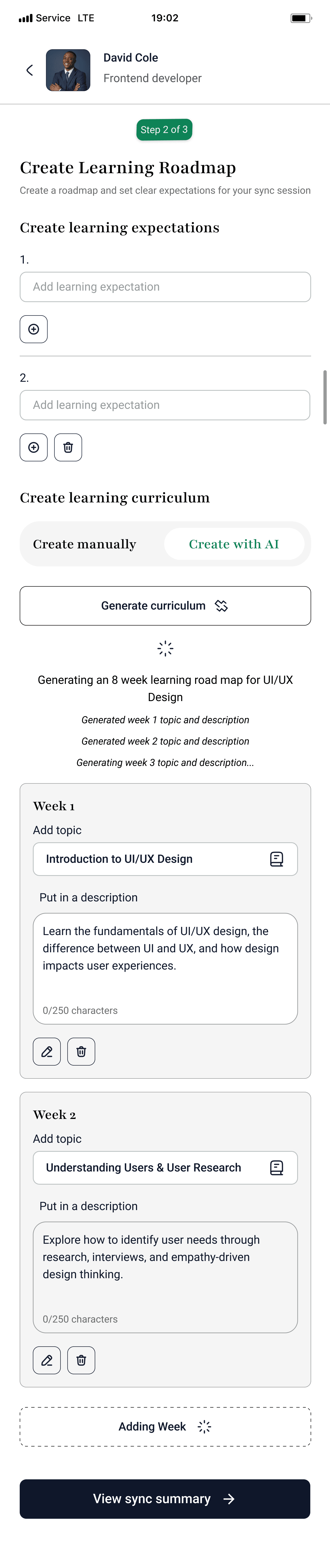
Once the proposal is accepted, users collaborate on a learning plan. Together, they define the duration of the skill swap, choose recurring session days and times, and create a personalized learning roadmap. To accommodate different teaching styles, instructors can either generate a roadmap with AI or build one manually. Throughout this process, auto-save feedback provides reassurance that every change is being saved.
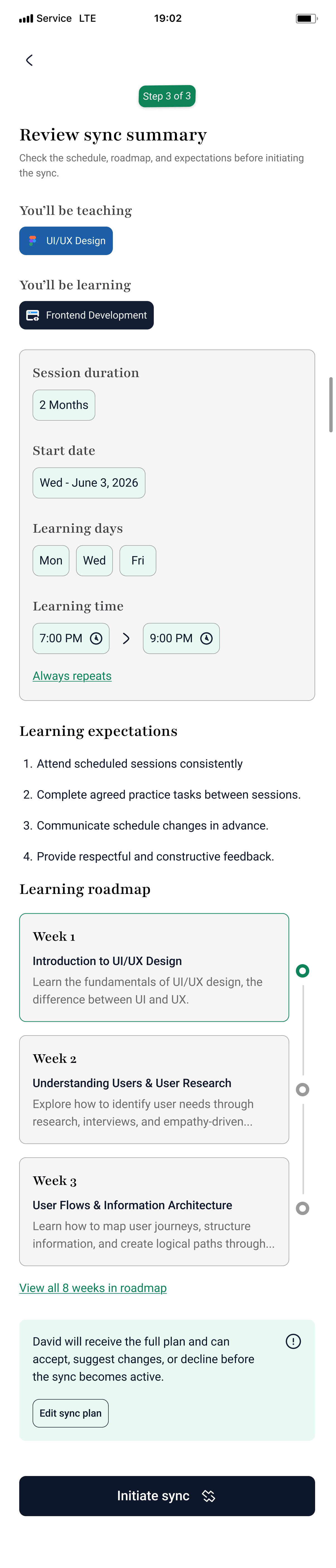
Before the skill swap begins, both users review a complete summary of their agreement, including the skills being exchanged, learning schedule, session frequency, duration, and roadmap. This final review allows them to confirm every detail before initiating the sync.
After acceptance, the experience transitions into an Active Sync Dashboard, a shared workspace designed to keep both participants engaged throughout their learning journey. Rather than functioning as a simple calendar, the dashboard provides progress tracking, upcoming sessions, assignments, shared notes, and roadmap milestones, giving both learners a clear overview of their progress while encouraging accountability and consistency.



Key Takeaways
Designing Sync+ taught me that successful peer-to-peer products rely on more than connecting users, they depend on building trust, setting clear expectations, and supporting collaboration over time. Throughout the project, I learned how thoughtful product decisions can simplify complex workflows, reduce uncertainty, and encourage long-term engagement.
This project strengthened my ability to design end-to-end product experiences, balance user needs with business goals, and think beyond individual screens to create a cohesive journey from discovery to meaningful outcomes.